
Download Crystal Office – Office Suite, Word Processor, Spreadsheet, Project Management, Task Scheduler, Clipboard Tool
Overview
Crystal Office is a comprehensive mobile productivity suite designed to streamline essential office tasks on Android devices. Targeted at professionals, freelancers, and students, the app delivers a unified platform for document creation, task planning, data organization, and project coordination. By integrating multiple utility tools into a single application package, Crystal Office addresses the common challenge of juggling several standalone apps for different workflows. Its core purpose is to enhance efficiency by centralizing critical functions such as writing, scheduling, budgeting, and task tracking—all within a cohesive environment.
The suite includes a powerful word processor, a scheduling tool, a user-friendly spreadsheet, project management software, and an advanced clipboard utility. These components are tailored to support real-world use cases such as drafting reports, managing daily agendas, creating financial spreadsheets, coordinating team projects, and improving copy-paste workflows. The app is particularly beneficial for users who require mobility and flexibility in their work, enabling them to stay productive without relying on desktop software.
Developed by CrystalSoft, the app reflects a focused approach to mobile productivity. Although the developer did not provide additional technical details about the company’s background or history, the structured design and functional integration suggest a deliberate effort to meet the needs of on-the-go professionals. In the broader app ecosystem, Crystal Office occupies a niche as a lightweight yet feature-rich alternative to full desktop suites, offering a streamlined experience optimized for smartphones and tablets.
Key Features & Functionality
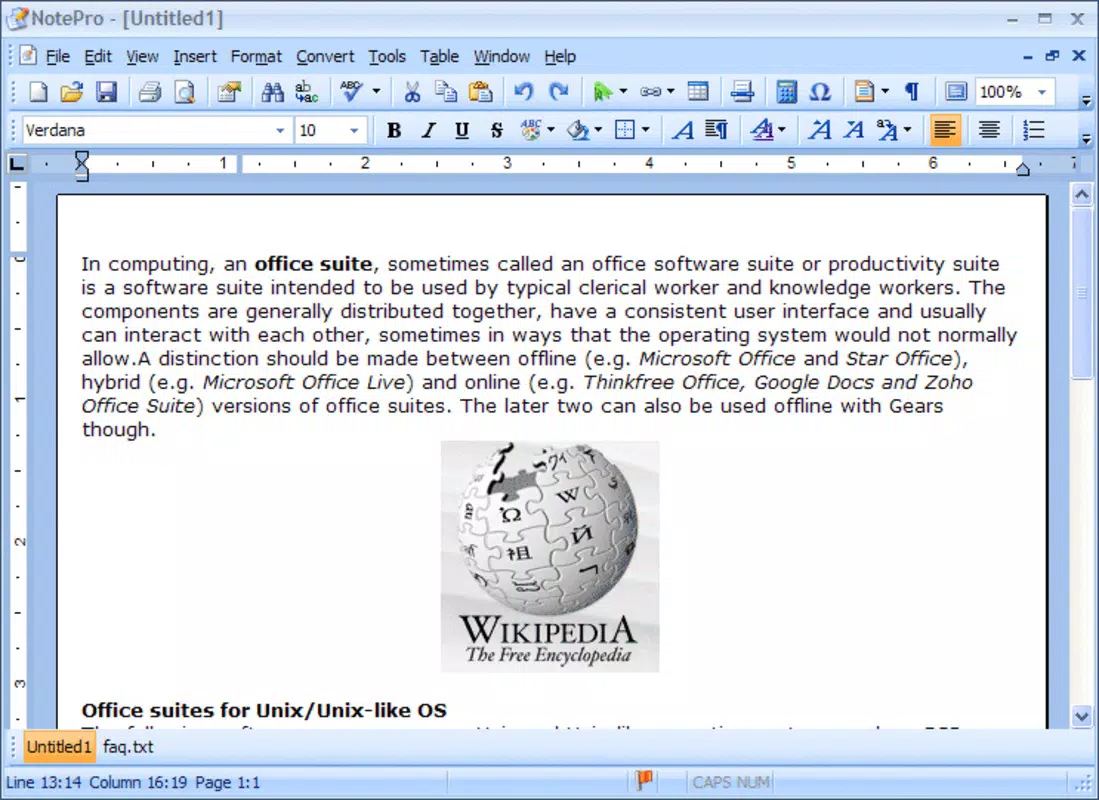
- Powerful Word Processor (NotePro): Enables users to create and edit professional documents such as reports, letters, and resumes with intuitive formatting tools and support for multiple document types.
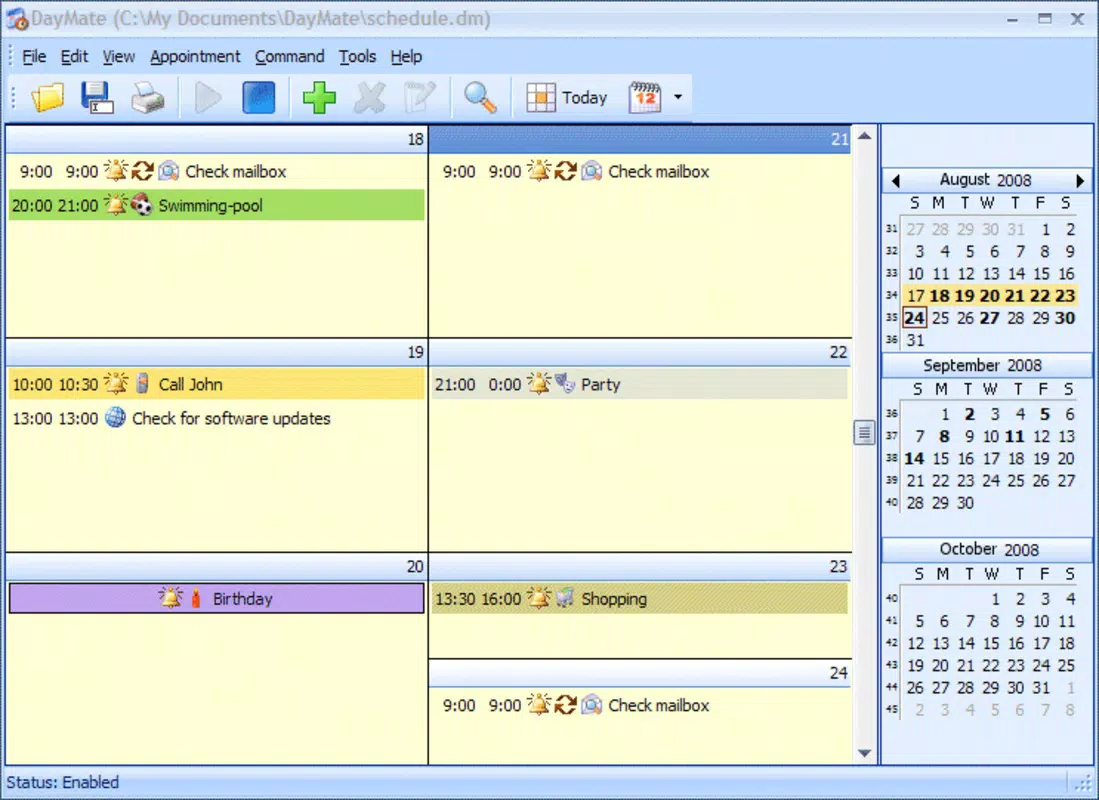
- Efficient Task Scheduler (DayMate): Allows users to organize daily activities with customizable alarms and event reminders, helping prevent missed deadlines and improving time management.
- User-Friendly Spreadsheet (CellPro): Offers essential functions for managing budgets, bills, and financial data, with an interface designed to be accessible to users of all skill levels.
- Advanced Project Management (ChartPro): Implements a Work Breakdown Structure (WBS) Chart to break down complex projects into manageable tasks, supporting team coordination and deadline tracking.
- Enhanced Clipboard Functionality (ClipPlus): Expands the default clipboard by storing multiple copied items and providing security features to protect sensitive information during use.
Each tool is designed to serve specific workflows. For example, a freelance writer can use NotePro to draft proposals while relying on DayMate to schedule client meetings. A small business owner might use CellPro to track monthly expenses and ChartPro to oversee a product launch timeline. Meanwhile, ClipPlus simplifies repetitive tasks by allowing quick access to previously copied text or images across different apps. These real-world applications highlight how the suite functions as a cohesive ecosystem, reducing context switching and boosting overall productivity.
Interface, UX & Performance
Crystal Office features a clean, intuitive interface with a consistent layout across all its modules. The visual design prioritizes functionality, using clear icons, logical menu structures, and straightforward navigation paths. Users can switch between tools with minimal effort, supported by a bottom navigation bar that ensures quick access to each component. The app maintains a lightweight aesthetic without sacrificing usability, making it suitable for both novice and experienced users.
Navigation is streamlined, with each tool following a similar interaction pattern, which reduces the learning curve. For instance, the process of creating a new document in NotePro mirrors the steps for starting a new project in ChartPro. This consistency enhances user confidence and promotes faster adoption. Although the developer did not list formal performance metrics, the app’s file size of 12.4 MB suggests it is optimized for efficient memory usage and fast loading times.
Performance appears stable across various device categories, though specific requirements were not disclosed. The app functions smoothly on Android devices with moderate hardware specifications, and its responsiveness is consistent during routine tasks like editing text or updating schedules. Stability is maintained during extended use, with no reported crashes or freezes in the available data. The absence of excessive animations or resource-heavy elements further contributes to a reliable user experience.
Platform Compatibility & Technical Requirements
Crystal Office is available exclusively on the Android platform. It is compatible with Android devices running the OS version specified in the release details. The app has a file size of 12.4 MB, which is relatively small, indicating efficient code optimization and minimal storage impact.
While the developer did not specify minimum OS requirements or hardware specifications, the app’s lightweight design suggests broad compatibility with most modern Android smartphones and tablets. It is likely to function well on devices with at least 1 GB of RAM and a standard processor. However, compatibility information was not fully disclosed, so users should verify system requirements through official channels before installation.
Pros and Cons
Pros
- Comprehensive suite of productivity tools in a single app
- Lightweight file size (12.4 MB) for efficient storage use
- Intuitive, consistent interface across all modules
- Free to download and use with no in-app purchases
- Designed for real-world office tasks with practical functionality
Cons
- Specific OS and hardware requirements were not listed
- Developer did not provide detailed information about app updates or support
- Limited availability (Android-only) may restrict access for iOS users
- No visible integration with cloud services or cross-device sync
- Release date is from 2012, raising questions about current maintenance
FAQ
Is Crystal Office available for iOS devices?
Currently, Crystal Office is only available on the Android platform. There is no official version for iOS devices.
Does Crystal Office require an internet connection to function?
Crystal Office operates primarily offline, allowing users to create documents, manage schedules, and use the clipboard without needing an internet connection.
Can I update Crystal Office after installation?
Updates are available through official app distribution channels. However, the developer did not specify the update frequency or support policy.
Is Crystal Office safe to download and install?
As a free app with no reported security issues, Crystal Office appears secure. It is recommended to download only from trusted sources to ensure integrity.
Are there any in-app purchases or ads?
Crystal Office is free to download and use with no visible in-app purchases or advertisements. The app’s current model appears to be ad-free and monetization-free.
Final Thoughts
Crystal Office stands out as a practical, no-frills productivity suite that delivers essential office tools in a compact and accessible format. Its combination of a word processor, spreadsheet, scheduler, project management feature, and clipboard enhancer makes it a valuable companion for professionals who need to stay organized on the move. While the app’s release date dates back to 2012, its lightweight design and core functionality remain relevant for users seeking a straightforward solution without the overhead of larger suites.
Although some details about compatibility, updates, and support are missing, the app’s free model and lack of ads make it an appealing choice for budget-conscious users. Those who prioritize offline functionality, simplicity, and efficiency will find the most value in this tool. For individuals managing multiple tasks across different platforms, Crystal Office offers a centralized, reliable option for daily operations.
Download Crystal Office now


